Ordering Guide
Follow these steps to find your photos, choose your favorites, and place your order.
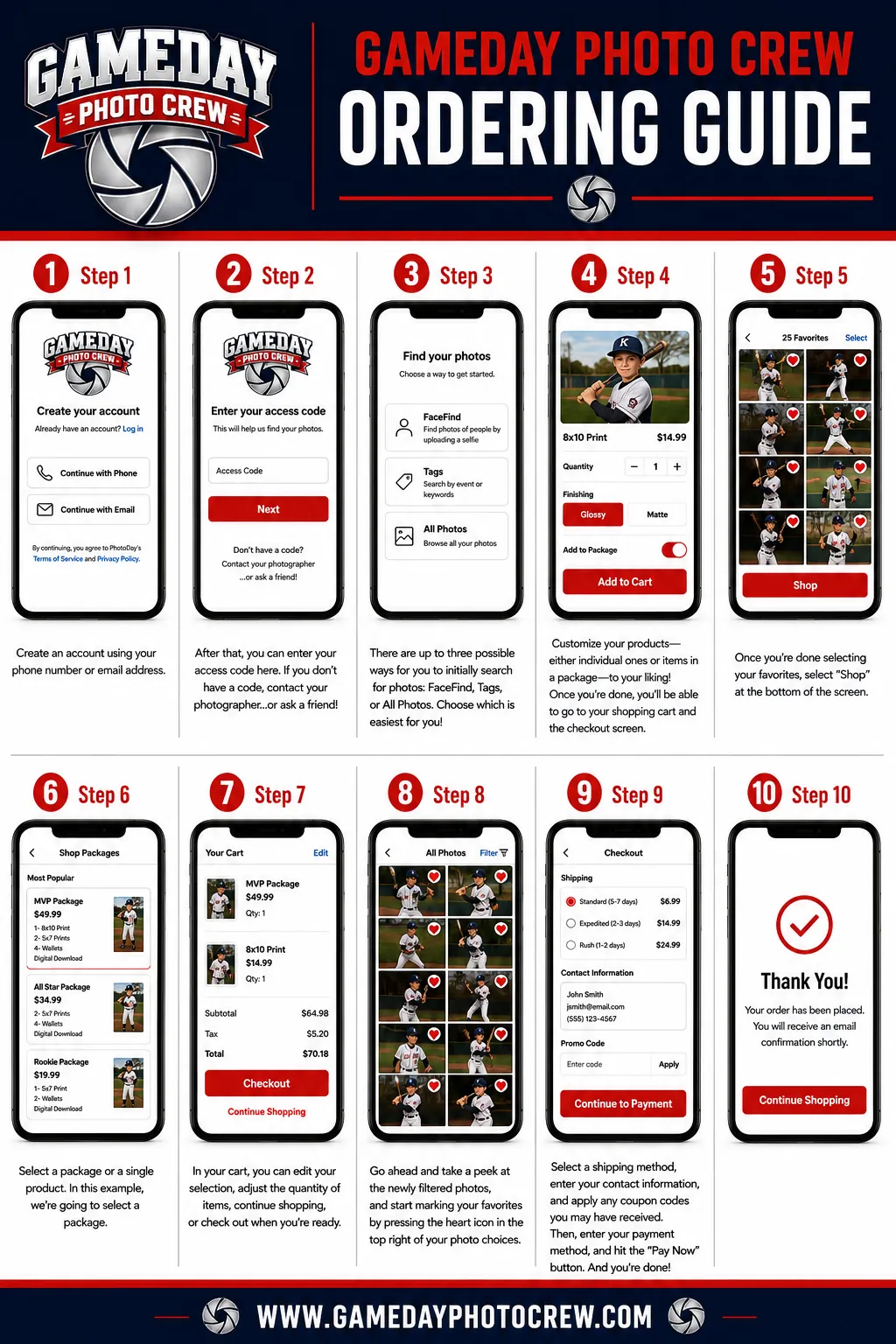
How to Order Your Athlete's Photos
Keep your QR card or access code nearby. Your athlete's gallery is private and opens only with the code provided for your event.
-
Find Your QR Card or Access Code
Use the QR card or access code your athlete received on picture day.
-
Go to View My Photos
Open View My Photos to reach the secure gallery login.
-
Enter Your Code and Create an Account
Enter the access code, then create an account using your phone number or email address.
-
Choose Your Photos
Review your private gallery and use the heart icon to mark the athlete photos you love.
-
Pick a Package
Choose a photo package or individual products, then assign your selected images.
-
Check Out
Review your cart, select shipping, enter payment information, and place your order.